|
|
|
|
|
|

【示例】分析箭頭函數中的this值
作者:admin 時間:2022-6-8 22:32:13 瀏覽:在前文中,我介紹了常規函數中的this,然而箭頭函數與常規函數不同,此外,箭頭函數與常規函數的this也不同,因此,在本文中,我將介紹箭頭函數中的this值。
this是定義箭頭函數的封閉上下文
箭頭函數不會創建自己的執行上下文,而是用this從定義它的外部函數中獲取。換句話說,箭頭函數在this詞法上解析。
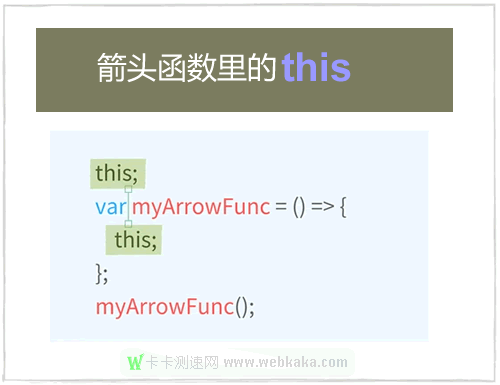
以下示例顯示了上下文透明度屬性:
class Point {
  constructor(x, y) {
    this.x = x;
    this.y = y;
  }
  log() {
    console.log(this === myPoint); // => true
    setTimeout(() => {
      console.log(this === myPoint);      // => true
      console.log(this.x + ':' + this.y); // => '95:165'
    }, 1000);
  }
}
const myPoint = new Point(95, 165);
myPoint.log();setTimeout()使用與log()方法相同的上下文(myPoint 對象)調用箭頭函數。正如你所見,箭頭函數從定義它的函數“繼承”上下文。
此示例中的常規函數??將創建自己的上下文——window或undefined(在嚴格模式下),因此,要使相同的代碼與函數表達式一起正常工作,必須手動綁定上下文:setTimeout(function() {...}.bind(this)), 這很冗長,使用箭頭函數是一種更簡潔、更短的解決方案。
如果箭頭函數定義在最頂層范圍(任何函數之外),則上下文始終是全局對象(window在瀏覽器中):
const getContext = () => {
 console.log(this === window); // => true
 return this;
};
console.log(getContext() === window); // => true
使用上下文修改方法也無法修改this
箭頭函數與this詞匯永遠綁定在一起。即使使用上下文修改方法也無法修改this:
const numbers = [1, 2];
(function() {
  const get = () => {
    console.log(this === numbers); // => true
    return this;
  };

  console.log(this === numbers); // => true
  get(); // => [1, 2]

  // 試圖手動修改箭頭函數上下文
  get.call([0]);  // => [1, 2]
  get.apply([0]); // => [1, 2]

  get.bind([0])(); // => [1, 2]
}).call(numbers);
無論箭頭函數get()如何調用,它始終保持詞法上下文numbers。用其他上下文get.call([0])或get.apply([0])間接調用,重新綁定get.bind([0])()無效。
箭頭函數不能用作構造函數。將其作為構造函數new get()調用會引發錯誤:TypeError: get is not a constructor。
總結
本文通過幾個示例,介紹了箭頭函數中的this值。通過本文的學習,我們應該了解“上下文——箭頭函數——this”之間的意義。
相關文章